Predictability score
A score from 0 to 100, graded A to D, built from staging, findings and expected expression. Use it to compare the lab's setup with the revised plan.
A quality-control index for comparing setups, not a clinical prediction.
Before you approve a setup, Plan Check reviews every tooth at every stage against evidence-based movement limits. You receive an audit report of what will likely happen, and the lab gets a note it can act on.
The 3D animation shows where the lab plans to move each tooth. It doesn't show whether the movement is staged at a pace aligners can deliver.
Labs configure their own staging limits, often looser than the research. A setup can pass the lab's checks and still move teeth faster than the evidence supports.
Studies measure how much of each planned movement actually happens. For some movements it is well short of the plan, and refinements follow.
When an arch has fewer aligners than its movement needs, each aligner is asked to do too much. Fix the count and most stage problems follow.
Every Plan Check comes with an interactive review and an audit report. Here is what a review looks like. Audit reports identify a case by its case ID, never the patient’s name.
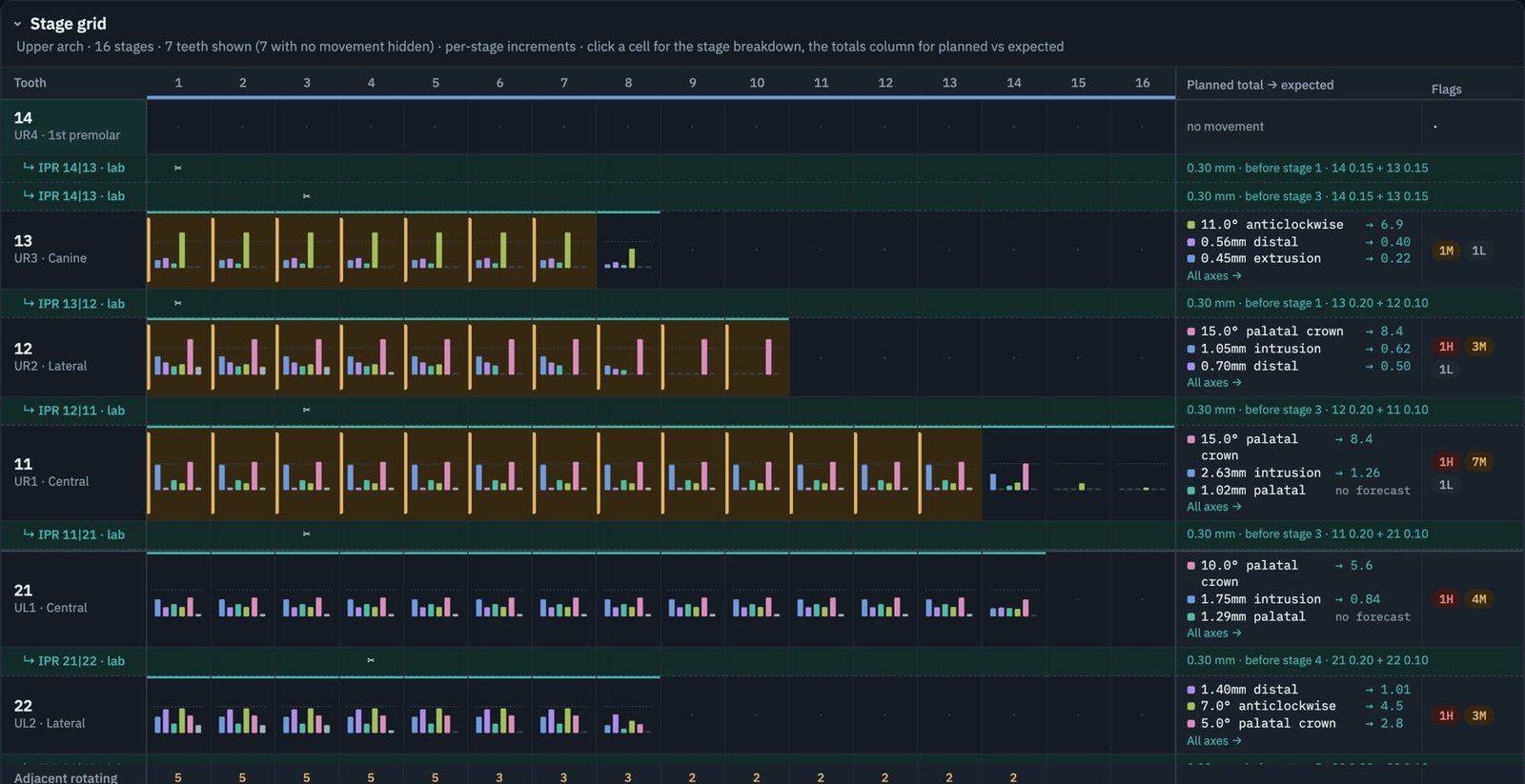
Movement on all six axes for each tooth at each stage, with stages over the recommended rate or hard limit highlighted.
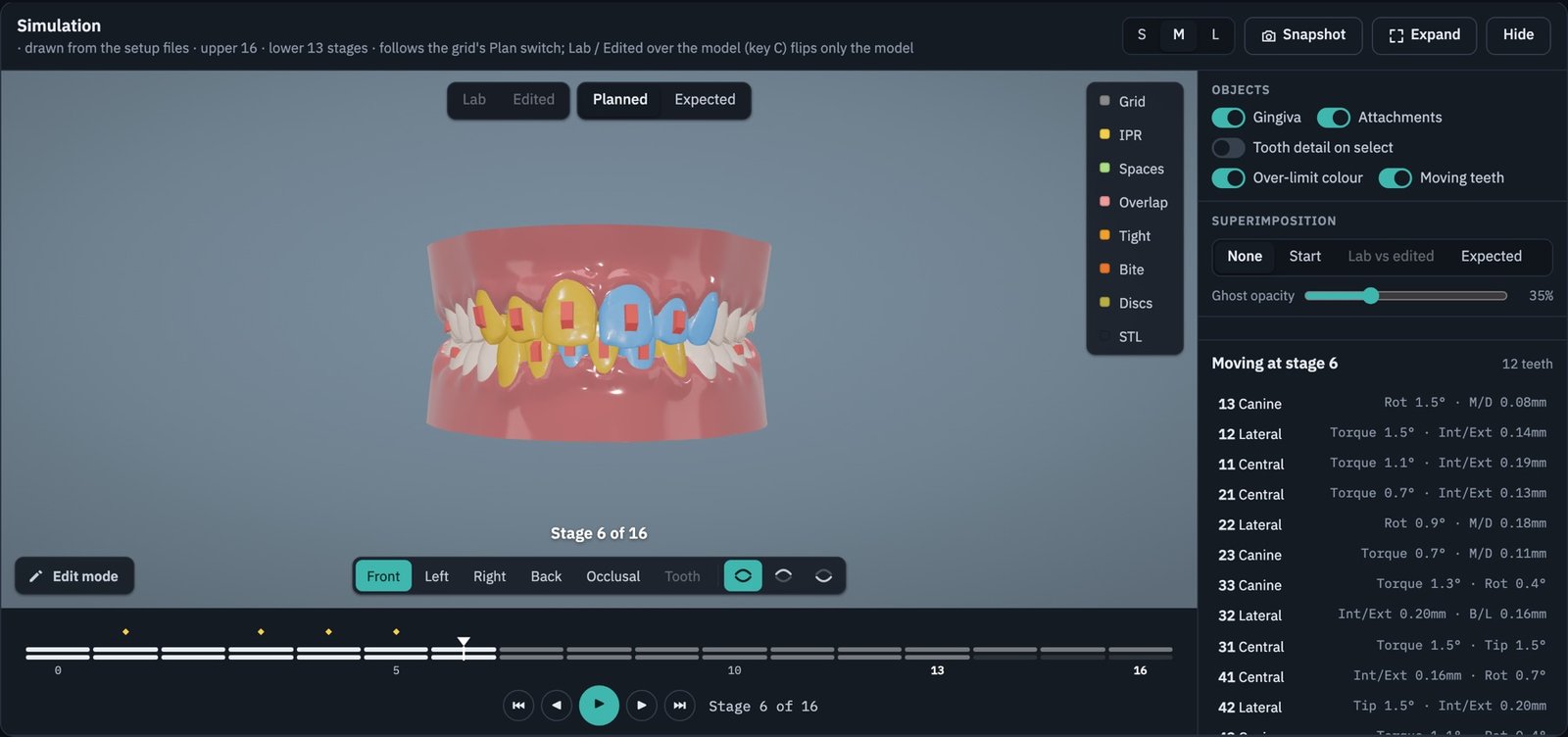
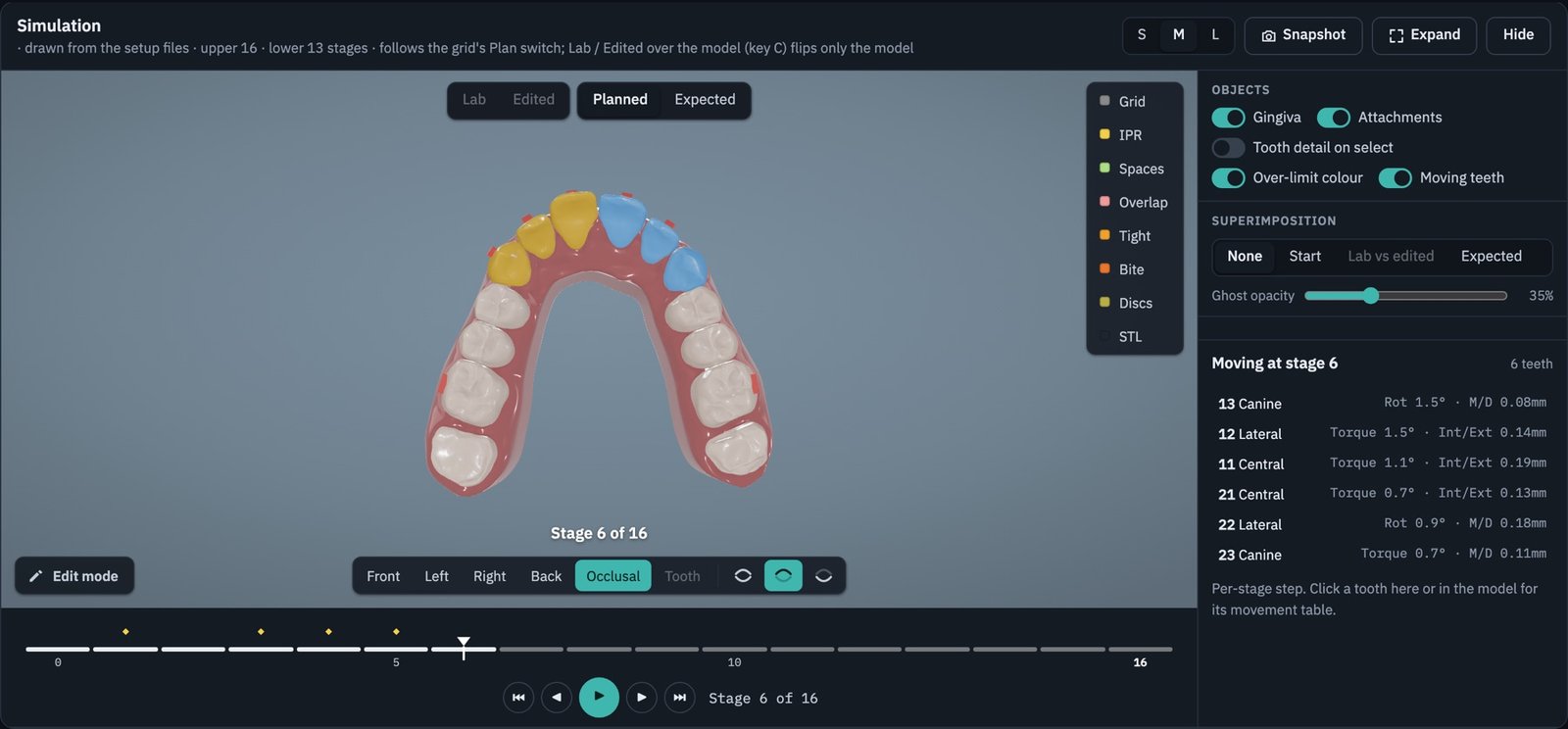
Step through the lab's own model. Teeth moving at each stage are coloured, and teeth over a limit stand out.
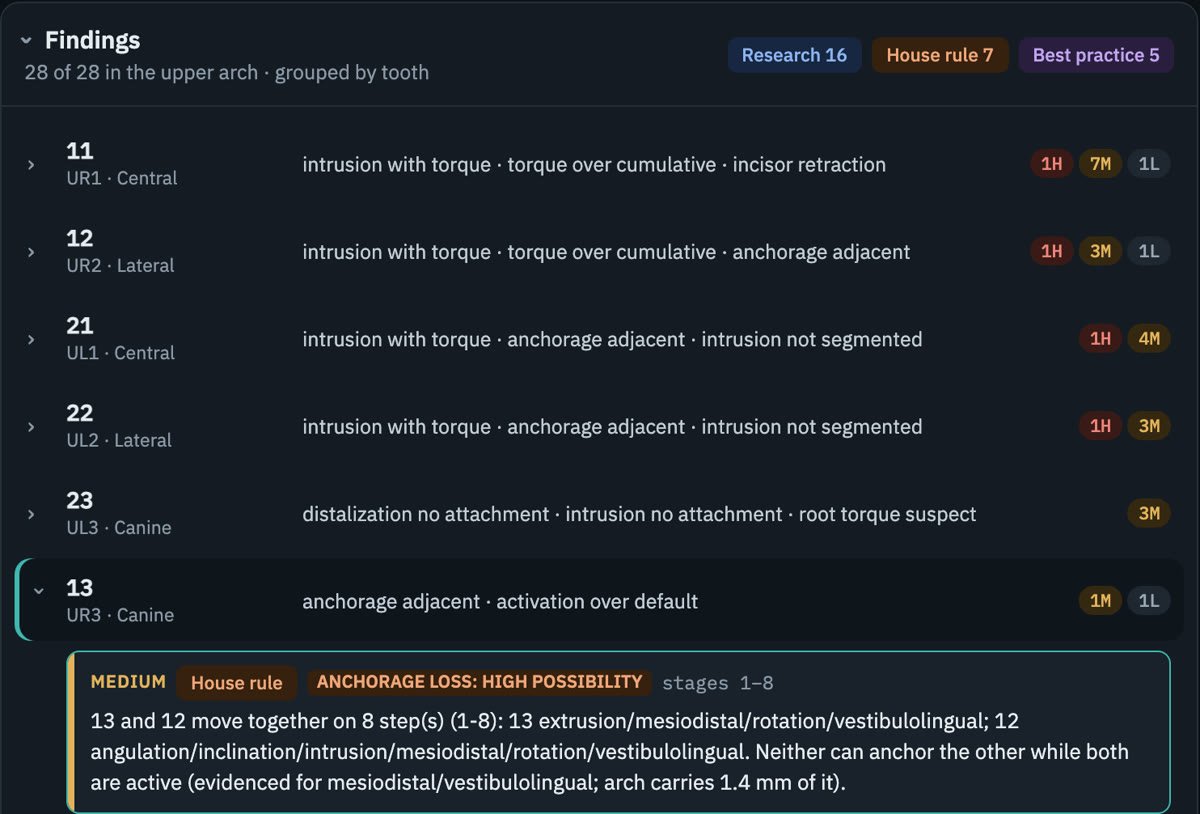
Each finding gives its severity, the stages affected and what it rests on: research, a QC rule or best practice.
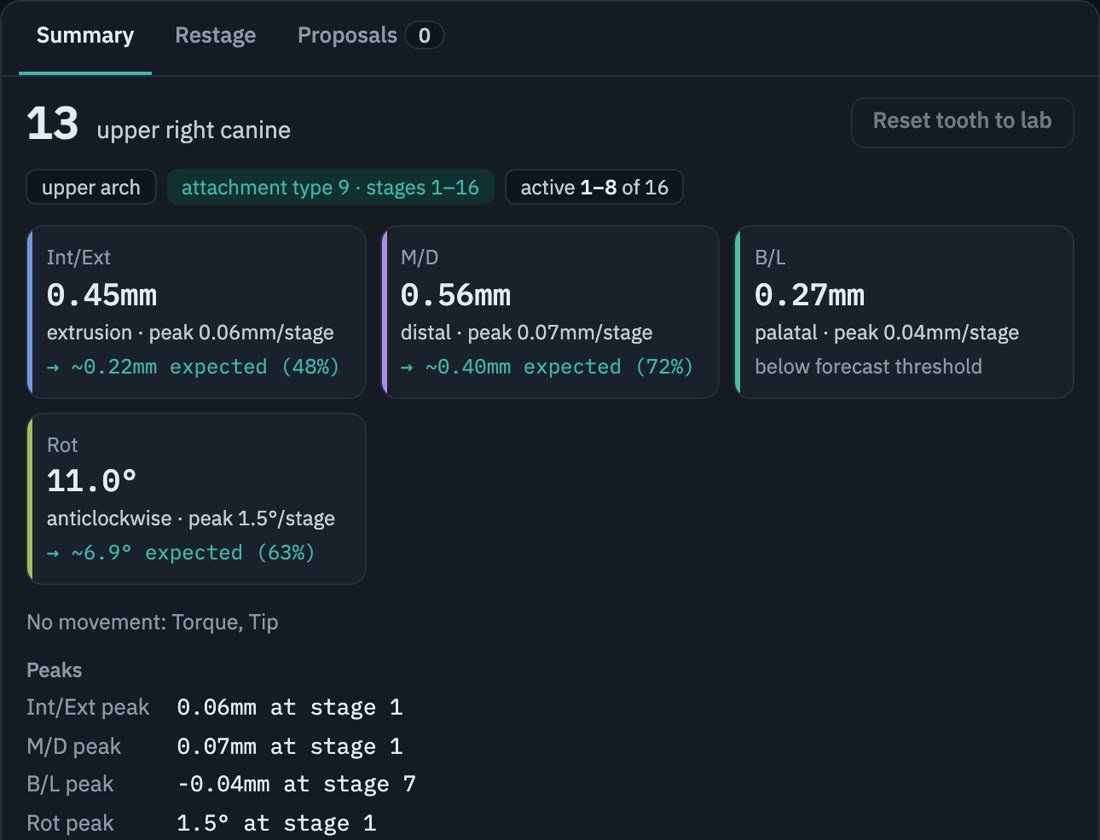
For each axis: the planned total, the peak per stage, and how much is likely to express, with the percentage.
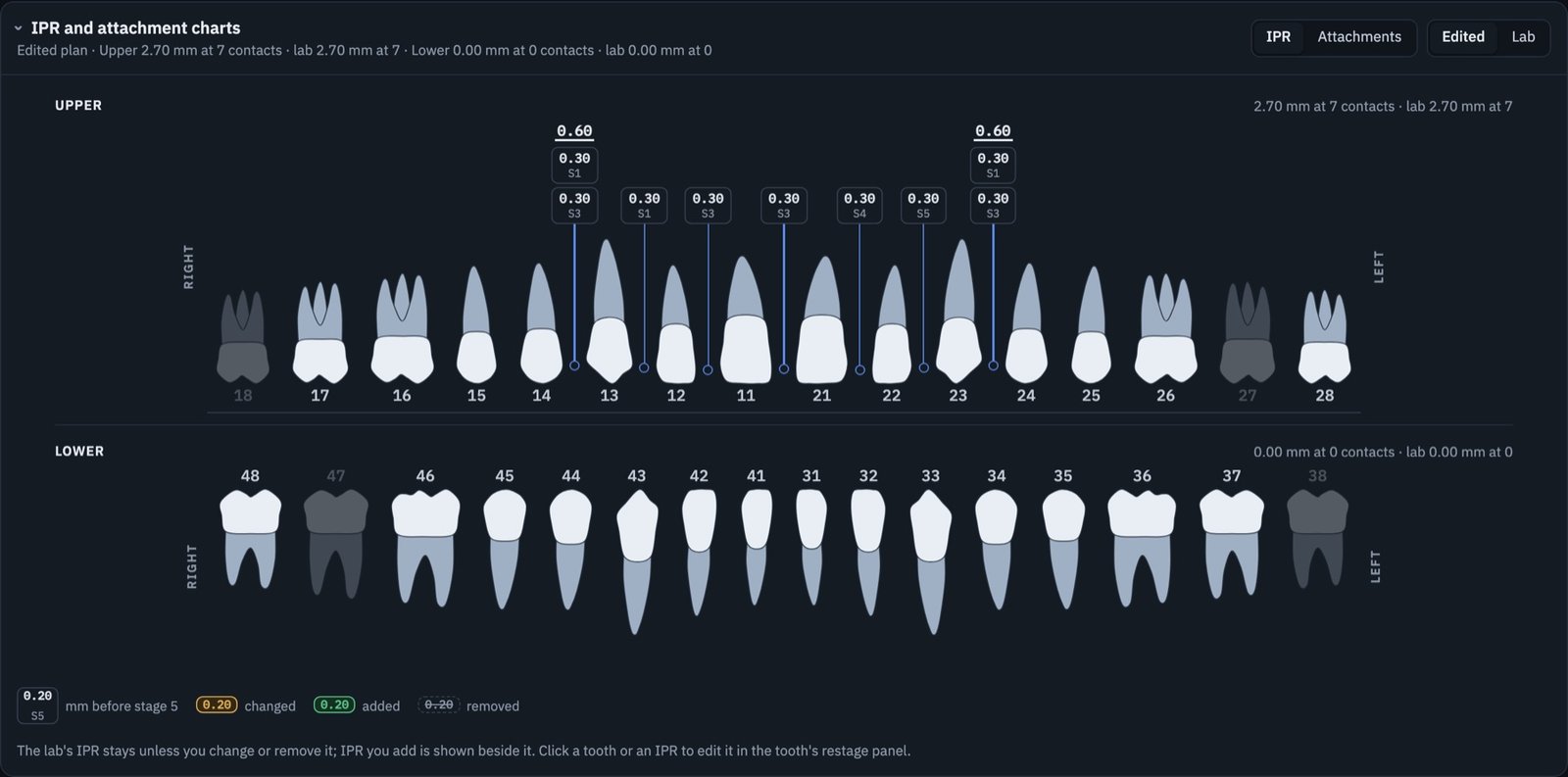
Both arches on one chart: how much IPR at each contact and before which stage, and every attachment.
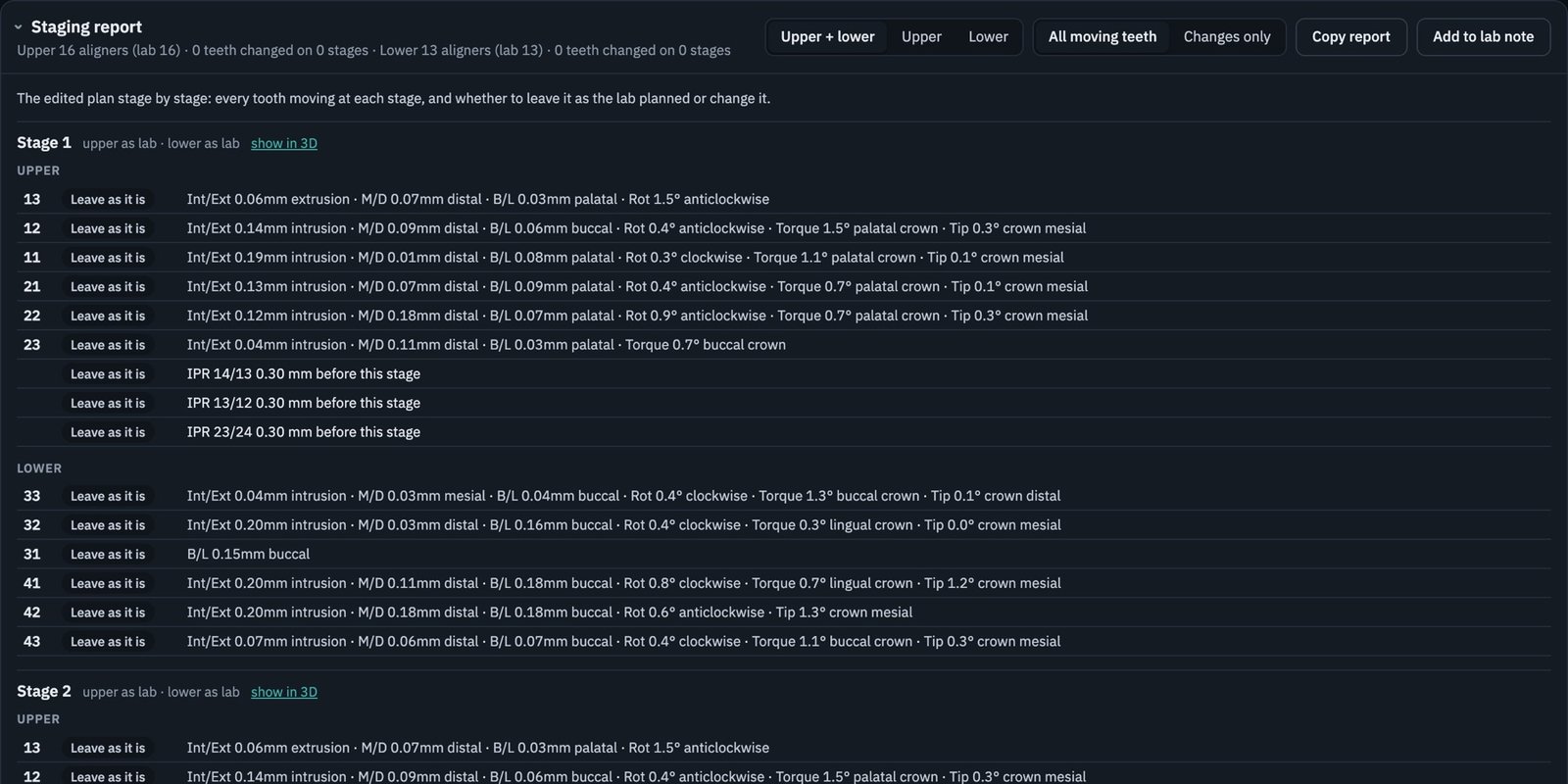
The revised plan, stage by stage: every moving tooth marked leave as it is, change, stop or add, with that stage's IPR.
How many aligners each tooth's movement needs at published rates, compared with what the lab delivered.
All six axes for every moving tooth: intrusion and extrusion, mesial and distal, buccal and lingual, rotation, torque and tip.
Each movement converted to the share studies show is likely to express, with the range, so you see the likely outcome.
Which teeth need an attachment for the movement planned, and whether the chosen shape suits that movement.
Teeth moving against a tight contact that IPR or space hasn't released, and any gaps left open at the final stage.
Overjet, overbite and back teeth that don't meet at each stage, plus segments at risk of anchorage loss.
Plan Check's limits come from our own review of the clinical literature. We keep the numbers inside the review, and every finding names the limit it breaks.
A score from 0 to 100, graded A to D, built from staging, findings and expected expression. Use it to compare the lab's setup with the revised plan.
A quality-control index for comparing setups, not a clinical prediction.
Every tooth across every stage, with breaches highlighted. Step through the setup in 3D, compare planned and expected positions, and check contacts, spaces and the bite at any stage.
Plain instructions naming the tooth, stage, value and limit, with the aligner count required. A request without numbers just produces another auto-restage.
Every Plan Check includes a PDF audit report of the issues in the lab setup: what was found, why it matters, planned against expected movement, and the weight of the evidence behind each point.
A short report to decide quickly whether to approve or ask for changes.
The complete review, with the corrections worked out and ready for the lab.
Send us the link to the setup from your lab's viewer, with the patient's age group.
Every tooth and stage is checked against our evidence-based limits, and the basis for each finding is recorded.
A screening audit report with the score, grade and issues found, so you can decide whether the setup needs changes.
With the full review you get the full audit report, the lab gets exact numbers, and the revised plan is re-scored.
Each finding is tagged by what it rests on, so you know how much weight to give it.
We report what was planned and what is likely. We never approve, revise or submit anything in your lab's portal.
Reports identify a case by its case ID and setup version only. No patient names appear in what we send.
No. It gives you the numbers behind a setup and what research and quality-control rules say about them. Whether to approve, change or accept a setup is always your decision.
From published clinical studies and planning guidance. Where we apply a quality-control rule or clinician consensus instead, the finding says so. Expression figures are population averages with wide individual variation.
No. It is a quality-control index for comparing a lab setup with a revised plan. It has not been validated as a clinical predictor, and every report says so.
The link to the setup from your lab's viewer and whether the patient is an adult or adolescent. If you are reviewing a revision, tell us which version you want compared.
Send us the setup link and the patient's age group. We'll send your audit report and explain the next step.